
Quick Verdict
Short answer: the Focusrite Scarlett Solo 4th Gen is a good fit if you record one vocal microphone at a time and want a small XLR interface that can grow into guitar, songwriting, and basic home-studio work. Skip it if you need two microphones at once, phone/camera creator routing, or the fastest USB-mic path.
This is a focused vocal-recording review. For the broader product overview, read the existing Focusrite Scarlett Solo 4th Gen review. If you are choosing against a voice-first interface, use Scarlett Solo vs Vocaster One for Vocals.
Source note: Official Focusrite Scarlett Solo product/user-guide pages checked 2026-07-16. This page does not claim live price, stock, lab measurement, or brand authorization.
Who the Scarlett Solo fits best
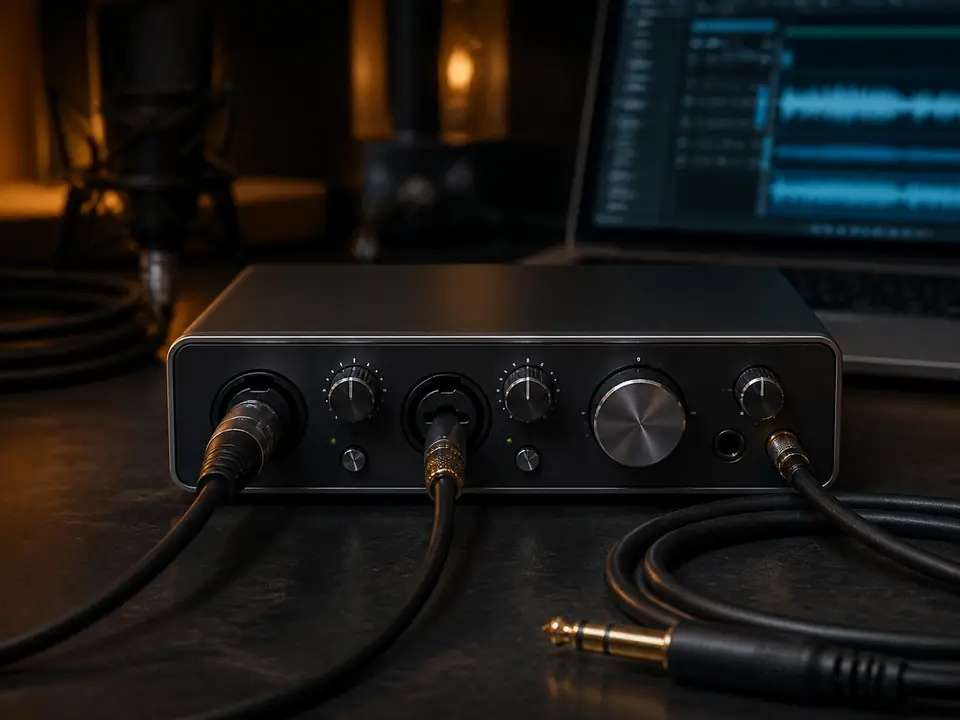
The Scarlett Solo 4th Gen makes the most sense for a solo vocalist who wants an XLR microphone path and may later record guitar, songwriting demos, or simple production ideas. Official Focusrite materials describe the Scarlett Solo as a compact interface with an XLR mic input, dedicated guitar input, headphone output, 48V phantom power, Air modes, and direct-monitor control through Focusrite Control 2.
That combination is practical for a beginner vocal desk because it keeps the first setup small without locking the user into a voice-only workflow.
Vocal-recording scorecard
- One XLR vocal mic: strong fit for one singer recording one microphone at a time.
- Condenser microphone support: 48V phantom power is available; only use it when the microphone requires it.
- Hearing yourself while recording: direct-monitor workflow is available through Focusrite Control 2; check monitoring before blaming the microphone.
- Guitar or instrument upgrade: dedicated instrument path is useful for singer-songwriters, but not for simultaneous vocal/guitar capture.
- Two microphones at once: poor fit; choose a two-input interface instead.
Why one input can be enough
For many beginner vocalists, one input is not a limitation. If every session is one singer, one microphone, and one DAW track at a time, a one-input interface keeps the setup simple and leaves budget for a better microphone position, closed-back headphones, stand, cable, and pop filter.
If you already know you will record vocal and guitar at the same time, this is where Scarlett Solo stops being the clean answer. Compare Focusrite Scarlett Solo vs 2i2 before buying.
Phantom power and microphone choice
Scarlett Solo can support condenser microphones that need 48V phantom power, but phantom power is not a reason to buy a condenser by default. In an untreated bedroom, a dynamic microphone can still be easier to control because it often captures less room splash and background noise.
If this is unclear, read What Is Phantom Power? and Is a Dynamic Microphone Better for Bedroom Vocals? before choosing the mic.
Monitoring and delay
A beginner vocal setup fails fast when the singer hears their voice late in the headphones. The Scarlett Solo path should be judged on whether it lets you monitor comfortably, set gain safely, and record without fighting the computer. Direct monitoring and buffer settings matter more than spec-sheet excitement.
Use What Is Direct Monitoring?, What Is Latency in Recording?, and How to Record Vocals Without Hearing Delay if this is your main problem.
Who should skip it
- Skip it if you need two microphones or vocal plus guitar at the same time.
- Skip it if your work is mainly podcasting or creator voice with phone/camera routing; compare Vocaster One instead.
- Skip it if you want the fastest setup with no interface, no XLR cable, and fewer controls; a USB mic may be simpler.
- Skip any interface upgrade if your real problem is room noise, mic placement, headphone bleed, or clipping.
Best alternatives to consider
If you want a two-input upgrade path, compare Scarlett Solo against Scarlett 2i2. If you are building a one-person vocal chain and want broader interface options, start with Best Audio Interfaces for One-Person Vocal Recording. If the whole setup is still undecided, use the home vocal recording hub.
FAQ
Is Scarlett Solo 4th Gen enough for vocals?
Yes, if you record one vocal microphone at a time. It is not enough if you need two microphones or vocal plus guitar captured simultaneously.
Can Scarlett Solo power a condenser mic?
Yes. Scarlett Solo provides 48V phantom power for condenser microphones that require it. Always check the microphone manual and turn phantom power off when it is not needed.
Is Scarlett Solo better than Vocaster One for singing?
For music-first singing and singer-songwriter setups, Scarlett Solo is usually the better fit. For spoken voice, podcasting, or phone/camera creator routing, Vocaster One may be a better match.
Final recommendation
Buy Scarlett Solo 4th Gen for vocals if your real workflow is one singer, one XLR mic, headphones, and a DAW-first home-studio path. Do not buy it because it is popular; buy it only if one input is enough and the music-first workflow matches what you will record this month.
How We Test
Focused editorial review for beginner vocal-recording workflows. This page uses official Focusrite product/user-guide information and MusicalCritic setup logic; it does not claim hands-on lab measurement, current retailer price, stock status, or brand authorization.
Review Basis
This review is based on official Focusrite Scarlett Solo product/user-guide information checked on 2026-07-16, common beginner vocal-recording workflows, and MusicalCritic internal setup criteria. No instrumented lab testing is claimed.