
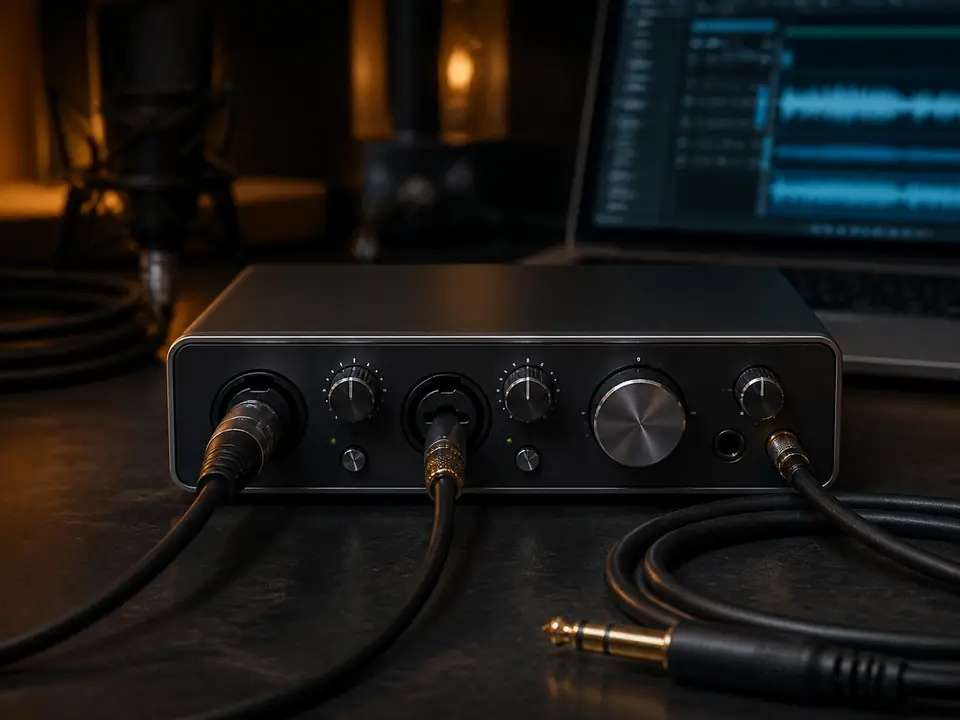
Quick Verdict
Short answer: for one-person vocal recording, start with an interface that solves monitoring and microphone setup before chasing extra inputs. One mic input can be enough for solo vocals; two inputs become useful if you also record guitar, keyboard, a guest, or a stereo source. Direct monitoring, headphone volume, phantom power, driver stability, and cable fit matter more than a long feature list.
This page is a focused solo-vocal guide. If you want the broader entry-level interface overview, read Best Audio Interfaces for Beginners.
What a solo vocalist actually needs
A solo vocal interface has one main job: get the microphone into the computer while letting you hear the track and your own voice without distracting delay. Beginners often overbuy input count and undercheck monitoring, headphone output, phantom power, cable compatibility, and whether the interface will work smoothly with their computer.
If you record one vocal take at a time, the first decision is not “largest interface.” It is whether a simple one-input path covers the next year of work, or whether a two-input path is worth the small extra room for guitar, piano, interviews, or future upgrades.
One input vs two inputs
| Interface path | Best fit | Watch out for |
|---|---|---|
| One mic input | Solo vocals, voiceovers, simple singer-songwriter demos recorded one source at a time | No room for recording vocal and guitar at the same time |
| Two inputs | Vocal plus guitar, guest voice, stereo keyboard, or a longer upgrade path | Costs more and may still not be enough for band sessions |
| USB microphone instead | Fastest setup when you do not want an interface yet | Less flexible when you later add XLR microphones or multiple sources |
Buying checks before model names
- Direct monitoring: you need a way to hear your input without distracting delay.
- Headphone output: make sure the interface can drive your headphones loud enough without forcing the mic gain too high.
- Phantom power: required for many condenser microphones, but not for most dynamic microphones.
- Gain range: some dynamic microphones need more clean gain than beginners expect.
- Computer fit: check operating system support, cable type, and whether adapters are needed.
- Full-chain budget: include microphone, XLR cable, stand, pop filter, and closed-back headphones.
When one input is enough
One input is enough when you record one microphone at a time and do not need to capture an instrument simultaneously. This is common for beginner vocals, spoken-word recording, remote lessons, scratch vocals, and demo writing. A one-input interface can keep the setup simple and leave more money for the microphone, headphones, and room-control basics.
Pair this path with the beginner vocal recording setup checklist and the bedroom vocal microphone guide.
When two inputs are worth it
Two inputs are worth considering if you want to record vocal and guitar at the same time, bring in a second speaker, capture a stereo keyboard, or keep the setup useful longer. It is not about looking more professional; it is about whether your real sessions need two live sources.
If you are deciding between common entry-level interface sizes, use Focusrite Scarlett Solo vs 2i2 as a decision path rather than a spec race.
Direct monitoring and latency
Latency is one of the first problems that makes home recording feel broken. If your voice comes back late in the headphones, performance suffers. Look for a direct monitoring path or a simple low-latency monitoring workflow before you worry about advanced software bundles.
Read What Is Direct Monitoring? and What Is Latency in Recording? before buying if those terms are unclear.
USB mic or interface?
If you want the fastest possible setup and do not care about XLR microphones yet, a USB microphone can still be the better first choice. Choose an interface when you want upgrade flexibility, XLR microphone choices, direct monitoring control, and a setup that can grow beyond one microphone.
The practical tradeoff is covered in USB Microphone vs Audio Interface Setup and Should Beginners Buy a USB Mic or XLR Setup for Vocals?.
Who should not overbuy
Do not buy a large interface because you imagine a future studio if your next six months are only solo vocal takes. Extra inputs, knobs, and routing can create confusion without improving the first recording. Spend the saved budget on monitoring, mic placement, and a quieter recording position.
FAQ
Is one input enough for recording vocals at home?
Yes, if you record one microphone at a time. One input is enough for solo vocals, voiceovers, and simple demos, but not for recording voice and guitar simultaneously.
Do I need phantom power for vocals?
You need phantom power for many condenser microphones. Most dynamic microphones do not need it. Check the microphone type before buying the interface.
Should a beginner buy a two-input interface?
Buy two inputs if you have a real two-source use case. If all sessions are one vocal mic, a simpler interface may be the smarter first move.
Next steps
Start with the home vocal recording hub if you are building the full chain. If budget is tight, compare the home vocal recording setup under $200 and the beginner vocal recording bundle guide before choosing an interface.
How We Test
Editorial buying guide for solo home-vocal use. This page does not claim live pricing, stock status, brand authorization, or instrumented lab testing.
Review Basis
This guide is based on editorial research, common home-vocal recording workflows, MusicalCritic internal interface comparisons, and beginner setup constraints. No instrumented lab testing is claimed.