
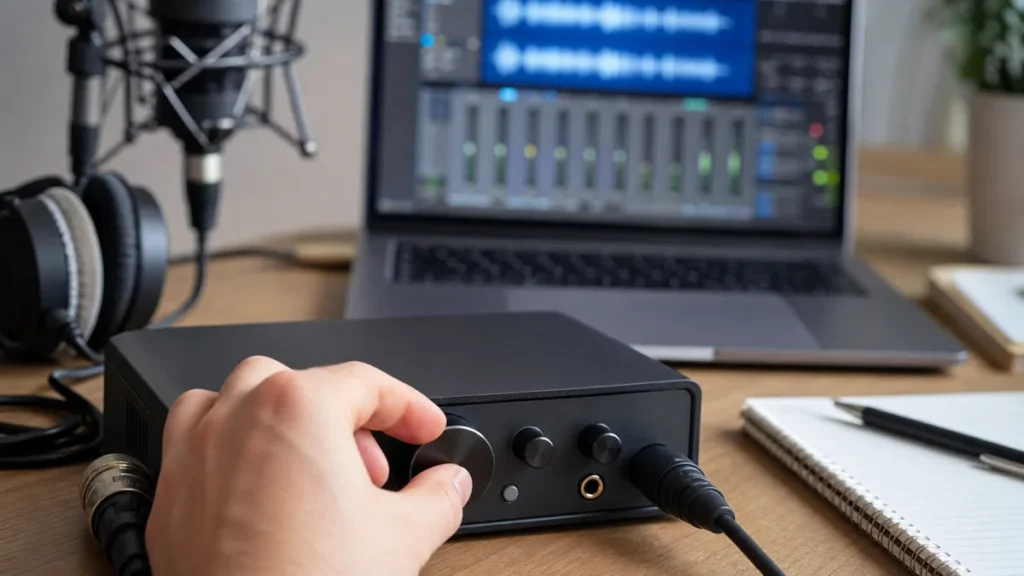
The gain knob controls how strongly your vocal enters the audio interface. DAW volume controls how loud the already-recorded or monitored track plays back. If vocals are clipping, lower input gain. If vocals are only too loud in your headphones or mix, adjust DAW, headphone or monitor volume instead.
MusicalCritic may earn a commission from qualifying links. This page uses editorial setup analysis and source-bounded beginner guidance, not lab testing, retailer-feed monitoring or paid placement.
Quick Answer
- Use input gain to set the recorded level before the vocal becomes a waveform.
- Use DAW volume to balance playback after the signal is already in the session.
- Do not fix clipping with the DAW fader; a clipped recording is already damaged before the fader.
What The Gain Knob Does
The gain knob changes how much the microphone signal is amplified before conversion and recording. For vocals, set it while singing the loudest part of the song. The goal is a healthy signal that leaves headroom instead of hitting red or sounding distorted.
What DAW Volume Does
The DAW track fader, master fader and clip gain affect playback or mix balance. They can make a track easier to hear, sit better with music or export at a sensible level, but they do not repair overloaded input gain from the recording stage.
Common Beginner Mistakes
- Turning down the DAW fader while the interface input is still clipping.
- Raising input gain because the headphones are quiet.
- Recording too low, then pushing every later stage harder than needed.
- Changing gain mid-take instead of setting it before recording.
Decision Table
| Problem | Control to check first | Why |
|---|---|---|
| Waveform is clipped or distorted | Interface gain knob | The overload happened before the DAW fader. |
| Vocal is too loud in headphones | Headphone or DAW monitoring level | Playback comfort is not the same as recording level. |
| Vocal is buried in the mix | DAW track volume | The recorded take may be fine but balanced too low. |
| Noise floor is high | Mic distance, room noise and gain staging | More fader volume can reveal noise already captured. |
Beginner Gain-Staging Workflow
- Put the singer at the real mic distance.
- Sing the loudest line and set input gain before recording.
- Leave headroom instead of chasing the loudest possible waveform.
- Adjust headphone volume for comfort separately.
- Use DAW faders later for mix balance.
Read Next
- How to Avoid Clipping When Recording Vocals at Home
- How to Set Mic Gain for Vocals at Home
- What Is Zero-Latency Monitoring for Vocal Recording?
- Home Vocal Recording for Beginners
FAQ
Can I turn up DAW volume if the recording is quiet?
Yes, but first check whether the take was recorded too quietly because of distance, performance level or conservative input gain.
Can the DAW fader stop clipping?
Only if the clipping happens after the fader. It cannot undo clipping that occurred at the interface input.
Should vocals hit 0 dB while recording?
No. Beginners should leave headroom and avoid red lights or clipped waveforms.