
Beginner Recording Workflow
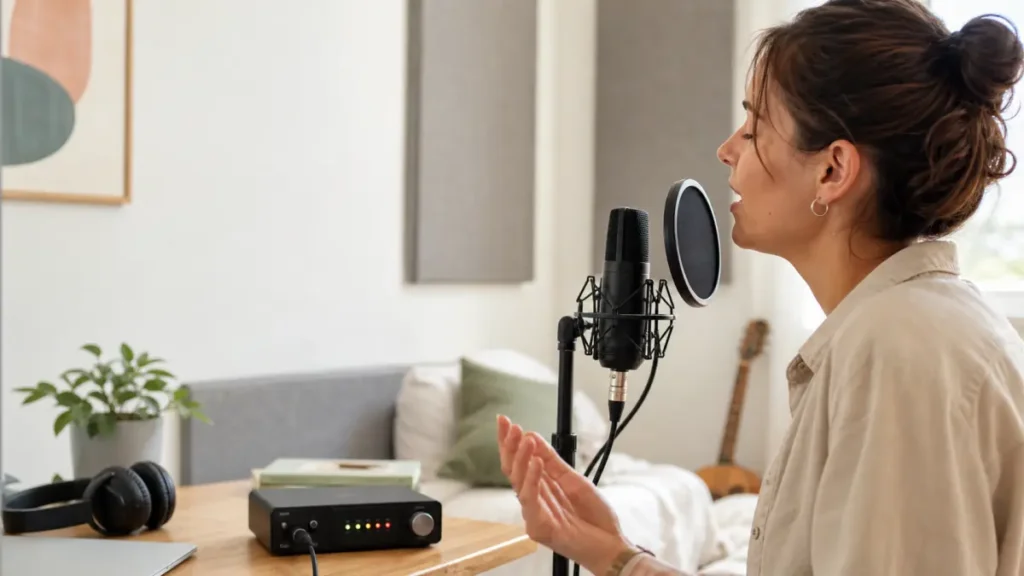
MusicalCritic may earn a commission from qualifying links. Illustrative recording setup images do not show exact product testing unless a page explicitly says otherwise.
Answer first: To avoid clipping when recording vocals at home, test the loudest phrase first, lower input gain if that phrase distorts, and separate gain problems from plosives, close-mic boom and plugin overload. A take can distort even when the singer does not feel loud.
This is practical setup guidance for beginner home vocal recording. It does not claim a universal dB target, measured headroom, product-specific preamp performance or first-person lab testing.
Start With the Loudest Phrase
Do not set gain from a quiet line and then record the chorus. Ask the singer to perform the loudest expected phrase at real performance level. If that part distorts, lower input gain and repeat the test before recording the full take.
Clipping Is Not the Only Vocal Distortion
| What you hear | Likely check | What not to assume |
|---|---|---|
| Harsh crackle on loud words | Input gain or digital clipping | The microphone is broken |
| Thumps on P and B sounds | Plosives, distance and pop control | Lower gain alone will solve it |
| Boomy close vocal | Mic distance, angle and proximity effect | You need a more expensive mic |
| Distortion after effects are added | Plugin chain or output level | The original raw recording clipped |
A Simple Anti-Clipping Checklist
- Turn off heavy effects while setting the first recording level.
- Record the loudest phrase at real performance intensity.
- If the take distorts, lower input gain and test again.
- Add pop control and angle the microphone slightly if plosives are the problem.
- Keep the singer’s distance repeatable instead of moving randomly during the take.
- After recording, check whether later plugins are overloading the track or master output.
What to Fix Before Buying Gear
Many beginner clipping problems come from setup, not from a bad microphone. Fix gain, distance, pop control and monitoring before upgrading the mic or interface. If you still run out of clean level after the setup is disciplined, then compare the interface and microphone path.
Read Next
- How to Use Direct Monitoring When Recording Vocals
- Shure SM58 Review for Bedroom Vocal Recording
- Home Vocal Recording for Beginners
FAQ
What does clipping sound like on vocals?
Clipping often sounds harsh, crackly or flattened on louder words. It is different from room echo or a boomy close-mic sound.
Should I lower gain or move back from the microphone?
If the input is clipping, lower gain first. If plosives or boominess are the issue, distance, angle and pop control may matter more.
Can plugins distort vocals after recording?
Yes. A clean recorded take can distort later if effects, track output or the master bus are pushed too hard.
How We Test
Practical setup guidance. MusicalCritic does not claim a universal dB target, measured headroom, product-specific preamp performance or first-person lab testing.
Review Basis
MusicalCritic beginner vocal gain-staging workflow analysis checked 2026-07-21.