
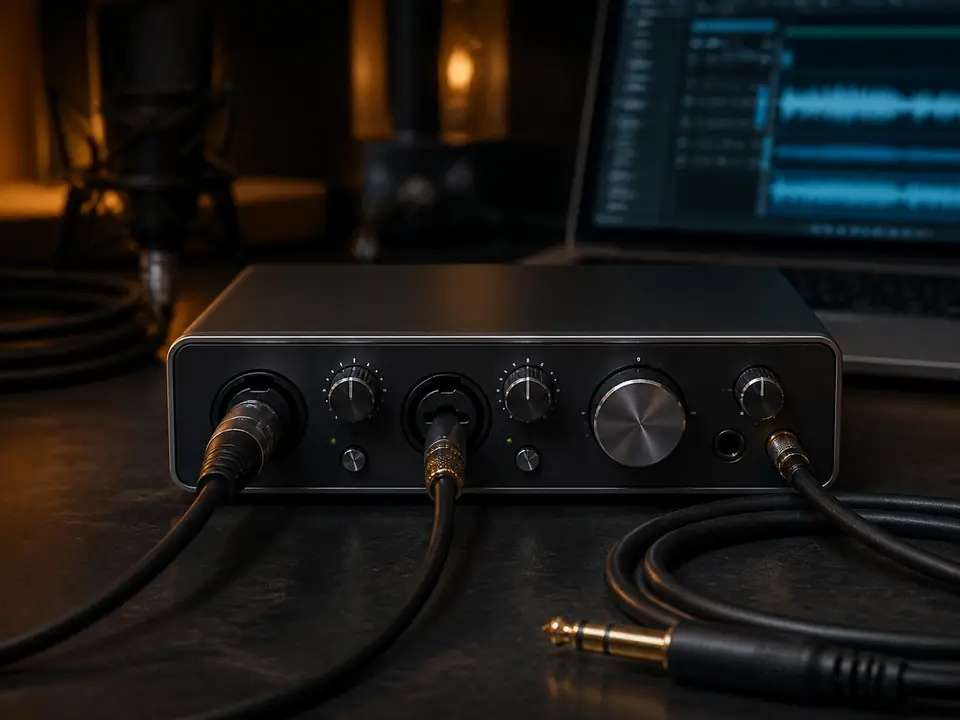
Quick Answer
Set input gain by singing the loudest part of the song at the real recording distance, then raise the input until the signal is clear without clipping or hitting red. Do not set gain while whispering, talking softly, or standing farther from the microphone than you will during the take.
Keep headphone volume separate from input gain. Headphone volume changes how loud you hear yourself; input gain changes how hard the microphone signal hits the recorder. Record a short loud-section test, listen back, and lower input gain if the vocal sounds harsh, distorted, or visibly flattened.
Review basis: MusicalCritic editorial setup logic checked 2026-07-18. This page does not claim hands-on hardware testing, universal meter targets, measured preamp performance, current pricing, stock status, rankings or brand authorization.
What input gain actually does
Input gain controls how much the microphone signal is amplified before it is recorded. Too little gain can make the take weak and noisy after you turn it up later. Too much gain can clip the loudest words, flatten the waveform and create distortion that cannot be fixed cleanly.
For broader background, read What Is Gain Staging for Beginners?. This page is narrower: it is the step-by-step routine to set vocal input gain before recording at home.
Step 1: set microphone distance before touching gain
Do not set gain first and then move around. Put the microphone where you will actually sing. For many beginner vocal takes, that means a close but comfortable distance with a pop filter or windscreen, stable stand position and closed-back headphones.
If the mic is too far away, you may raise gain to compensate and capture more room noise. If the mic is too close, loud notes and plosives may overload the signal. Fix distance first, then set gain.
Step 2: sing the loudest part, not the quietest part
Use the chorus, strongest phrase, highest note, or loudest ad-lib as the test. A gain setting that works for a quiet verse can fail when the real take gets louder.
If you are unsure how loud to sing, use How Loud Should You Sing When Recording Vocals at Home? before changing gear. The goal is a repeatable performance, not a nervous test whisper.
Step 3: raise input gain slowly
Start lower than you think you need, sing the loudest section, then raise input gain gradually. Stop before the meter reaches the danger area, turns red, or shows clipping. If your interface has a gain halo or clip light, treat that warning seriously and back down.
Do not chase maximum loudness at the input. A clean recording with headroom is easier to mix than a loud take with clipped peaks.
Step 4: record a short test and listen back
Meters help, but the short test matters more. Record 10 to 20 seconds of the loudest section and listen back through headphones. The vocal should be clear, not crunchy, fuzzy, flattened, or painfully sharp on loud words.
Also look at the waveform. If the loudest parts are squared off or pressed flat against the top and bottom of the display, lower the input gain and test again.
Step 5: separate input gain from headphone volume
A common beginner mistake is turning up input gain because the headphones sound too quiet. That can ruin the recording. If you need to hear yourself louder, adjust headphone level, direct monitoring, software monitoring, or backing-track volume before raising the input.
If monitoring feels delayed, read How to Record Vocals Without Hearing Delay. Latency is not fixed by overdriving the input.
Symptom table
| What you notice | Likely gain issue | First fix |
|---|---|---|
| Meter turns red or clip light flashes | Input gain is too high for the loudest section | Lower gain and repeat the loud-section test |
| Waveform looks flat on peaks | Clipping or overload is likely | Lower input gain and move slightly back if needed |
| Vocal is very quiet and noisy when boosted | Input may be too low or mic may be too far away | Move closer first, then raise gain carefully |
| Headphones are too quiet but meter is healthy | Monitoring level, not input gain | Raise headphone or direct-monitor level |
| Room noise gets louder when you raise gain | Mic may be too far from the voice | Move closer and reduce room noise before raising gain |
Common beginner mistakes
- Setting gain while speaking: singing can be much louder than casual talking.
- Testing only the verse: the chorus or loudest phrase may clip later.
- Using headphone volume as input gain: this can create distortion without solving monitoring.
- Ignoring mic distance: distance changes both level and room sound.
- Recording too hot because the waveform looks small: visual size is not the same as recording quality.
- Blaming the microphone first: bad placement, loud room noise or clipping can make good gear sound poor.
USB mic vs audio interface gain
With a USB microphone, gain may be controlled by the microphone, operating system, recording software, or a companion app. With an audio interface, gain is usually controlled by the physical gain knob for the mic input. In both cases, the principle is the same: set the gain around the loudest real vocal section.
If you are choosing an interface for one-person vocals, compare Best Audio Interfaces for One-Person Vocal Recording. If you are still building the full path, use How to Set Up a Home Vocal Recording Chain.
FAQ
Should vocal input gain be as high as possible?
No. A clean recording with headroom is safer than a loud recording that clips. You can make a clean take louder later, but clipped peaks are hard to repair.
Why does my vocal distort even when the track is not loud?
The input may have clipped before the track fader or output meter. Lower the microphone input gain and record a new test.
Can I fix bad input gain after recording?
You can turn a quiet clean take up later, but you cannot fully undo hard clipping. It is better to record a short test and fix gain before the full take.
Does phantom power change input gain?
No. Phantom power is used to power some condenser microphones and active devices. It is not a loudness control. Use it only when the microphone requires it.
Should I change gain during the take?
Usually no. Set gain for the loudest expected section before recording. If the song changes dramatically, record another test or split the session into sections.
Next steps
After input gain is stable, check the rest of the chain with the home vocal recording hub. If you still hear delay, solve monitoring before recording a full take. If the vocal still sounds roomy, work on mic placement and room noise before buying another microphone.