
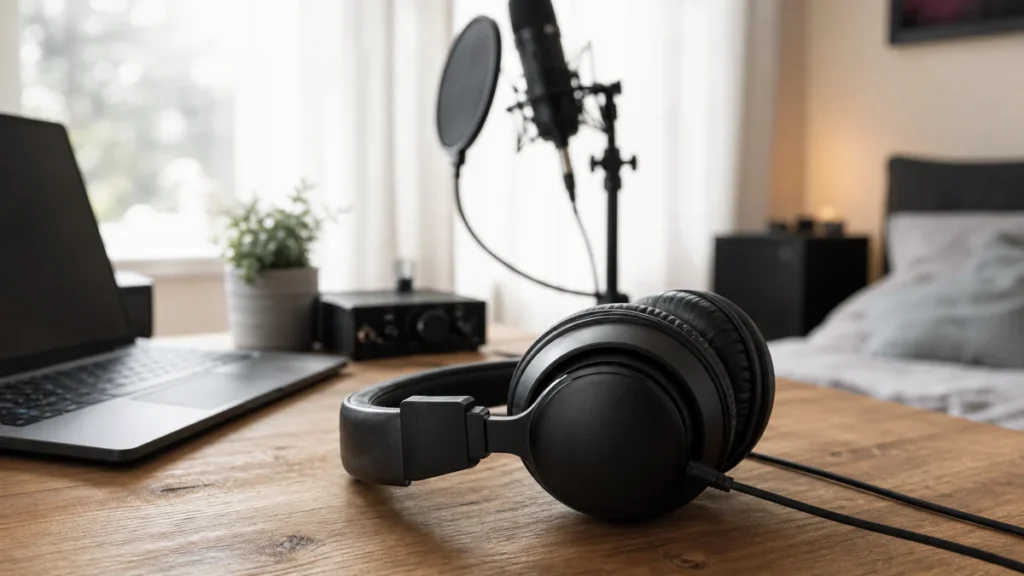
If you are recording vocals at home, choose headphones for tracking before you choose headphones for casual listening. For most beginners, that means a closed-back pair with enough isolation, a comfortable fit, and a cable that works with your audio interface or USB microphone.
MusicalCritic may earn a commission from qualifying links. Illustrative home recording setup; specific products are not pictured.
The safest first choice is usually closed-back headphones. They help keep the backing track, click, and guide vocal from leaking out of the earcups and back into the microphone. Open-back headphones can be useful for editing or mixing later, but they are usually the wrong first tool for recording vocals close to a mic.
Quick Answer
- Choose closed-back headphones first if you are recording vocals over a beat, click track, piano part, guitar part, or rough mix.
- Choose comfort over hype because vocal takes often fail when the singer keeps adjusting the headphones.
- Check the connector before buying: many audio interfaces use a 1/4-inch headphone jack, while many headphones ship with a 3.5 mm plug and adapter.
- Do not fix quiet vocals by turning up input gain too far. Headphone volume, DAW playback volume, and recording input gain solve different problems.
- Avoid open-back headphones for tracking unless the microphone is not active or playback bleed does not matter.
Who This Is For
This guide is for singers, rappers, songwriters, podcasters, and beginner home-studio users who need to hear the track while recording into a microphone. It is especially useful if you are working in a bedroom, apartment, dorm room, or small desk setup where the mic is close to your face and the room is not treated like a studio.
Who This Is Not For
This is not a deep mixing-headphone guide, a live in-ear monitor guide, or an exact product ranking. If you already have a treated room, studio monitors, and separate tracking and mixing headphones, you may need a more advanced comparison. If you are buying one practical pair for home vocal recording, the tracking use case should come first.
Why Closed-Back Headphones Are Usually The First Choice
When you record vocals, the microphone hears more than your voice. If the backing track leaks from your headphones, the mic can capture a faint version of the music. That spill can make editing harder, make vocal doubles less clean, and become obvious when the vocal is compressed or processed.
Closed-back headphones reduce that risk because the earcups are designed to keep more sound inside. They are not soundproof, and loud headphone levels can still leak, but they are usually much safer for tracking than open-back designs.
When Open-Back Headphones Are The Wrong Tool
Open-back headphones let air and sound move through the earcups. That can feel natural for listening or editing, but it is a problem when a microphone is recording nearby. If you sing with open-back headphones while the instrumental is playing, the mic may hear the instrumental too.
Use open-back headphones after the take, not during the take, unless you are recording without playback or you have a special low-bleed workflow. Beginners should treat open-back headphones as a later mixing/editing choice, not the main vocal tracking purchase.
What To Check Before Buying
Isolation
Look for a closed-back design that can keep normal cue-mix levels from bleeding into the microphone. You do not need maximum clamping force, but the earcups should seal consistently around your ears.
Comfort
A pair that sounds good but becomes painful after ten minutes can ruin takes. Check weight, ear-pad size, clamp pressure, and whether the headband causes pressure during longer sessions.
Cable And Adapter
Many interfaces and studio headphones expect a 1/4-inch connection. Many consumer devices use 3.5 mm. Before buying, confirm whether the headphones include the adapter you need and whether the cable length works at your desk.
Volume Control
If the singer cannot hear the track, do not automatically raise the microphone input gain. Input gain controls how strongly the microphone signal is recorded. Headphone volume controls how loudly you hear playback. Confusing the two can cause clipping or noisy recordings.
Durability
Home recording setups are moved, unplugged, and reconnected often. A replaceable cable, sturdy hinges, and easy-to-clean pads can matter more than a flashy spec sheet.
Decision Table
| Situation | Choose | Why |
|---|---|---|
| Recording vocals over a beat, click, or rough mix | Closed-back headphones | They reduce playback bleed into the microphone. |
| Editing or checking details after recording | Closed-back, open-back, or monitors depending on room | Bleed matters less when the mic is not recording. |
| Only have phone earbuds today | Use them only as a temporary option | They can work in an emergency, but fit, bleed, and microphone routing may be unreliable. |
| Singer needs the track louder | Adjust headphone or playback level first | Raising input gain can distort the recording instead of fixing the cue mix. |
Beginner Buying Checklist
- Closed-back earcups for vocal tracking.
- Comfortable enough for several full takes.
- Connector or adapter matches your interface, USB mic, computer, or headphone amp.
- Cable length reaches your recording position without pulling on the desk.
- Headphone volume can get loud enough without pushing the microphone input gain.
- No built-in headset mic is accidentally selected in your recording software.
Mistakes To Avoid
Do not buy open-back headphones as your only recording headphones if you sing near a sensitive microphone. Do not assume expensive headphones automatically solve room echo, background noise, bad mic placement, or clipping. Do not use Bluetooth headphones for vocal tracking if latency makes timing feel late. Do not judge headphone loudness by the DAW waveform; recorded level and playback volume are separate.
What To Read Next
For the full beginner setup path, start with home vocal recording. For headphone type tradeoffs, read closed-back vs open-back headphones for vocal tracking. If you are deciding whether monitors are required, see do you need studio monitors for recording vocals. If your vocal sounds quiet or distorted, compare audio interface gain knob vs DAW volume for vocals.
FAQ
Can I record vocals with earbuds?
You can record a rough vocal with earbuds if that is all you have, but it is not ideal. Earbuds may leak sound, fit inconsistently, route the wrong microphone, or make timing harder. For repeated vocal recording, closed-back headphones are usually more reliable.
Are open-back headphones bad for recording vocals?
They are not bad headphones, but they are usually bad tracking headphones. Open-back designs can leak playback into the microphone, especially when the cue mix is loud.
Do headphones affect recording quality?
They do not change the microphone signal directly, but they affect performance, timing, bleed, and how confidently the singer hears the track. Bad headphone setup can lead to weak takes or noisy cue bleed.
Why do my vocals sound quiet even when the headphones are loud?
Headphone loudness and recorded vocal level are separate. The headphone knob controls what you hear. Microphone input gain controls the recorded level. If the waveform is too quiet, check input gain and mic placement without clipping.
Do I need expensive headphones for beginner vocals?
No. A practical closed-back pair that fits well, seals reasonably, and connects correctly is enough to start. Spend more only when you know what limitation you are trying to solve.