
Short Answer
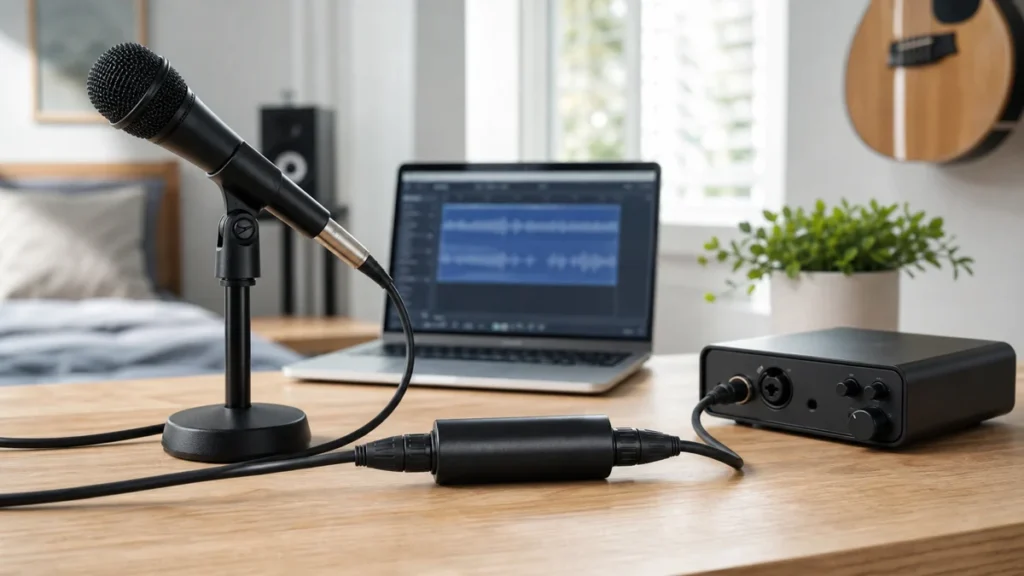
Buy a microphone booster only after you prove the real problem is low usable level from an XLR dynamic microphone into your interface. First check mic distance, input gain, cable, interface input, singing level, and room noise.
A booster can raise microphone signal before the interface. It does not remove room echo, fan noise, clipping, headphone bleed, or poor placement.
Evidence boundary: this is an editorial beginner purchase FAQ. It does not claim hands-on booster testing, measured gain or noise performance, current pricing, stock status, rankings, or brand authorization.
Run these checks first
- Confirm you are using an XLR dynamic microphone, not a USB connection.
- Sing at real performance volume, not quiet speech.
- Move close enough to the microphone for a strong direct vocal.
- Set input gain using the loudest line.
- Try a known-good XLR cable if available.
- Make sure you are using the microphone input, not a line input.
- Listen for room noise before assuming the preamp is the problem.
When a booster may help
A booster may help when the microphone is genuinely low-output, the singer is close enough, the interface gain is already near the top of its useful range, and the vocal is still weak or noisy. That is a narrower problem than many beginners think.
For the product-category comparison, read Cloudlifter vs FetHead for Dynamic Vocal Mics. For gain setup, read How to Set Input Gain for Home Vocal Recording.
When not to buy one
| Real problem | Why a booster is wrong first | Better next action |
|---|---|---|
| Room echo | A booster raises signal; it does not treat reflections | Move to a softer room position |
| Fan or traffic noise | Noise may become more obvious too | Reduce the noise source before recording |
| Clipping | The signal is already too hot somewhere | Lower gain and test the loudest line |
| USB microphone | Inline XLR boosters do not belong in the USB path | Fix USB monitoring or consider an XLR upgrade path |
Beginner buying checks
- Confirm the booster needs phantom power and your interface can supply it.
- Check whether you need one or two extra XLR cables.
- Verify return policy in case the booster is not the real fix.
- Do not use it as a substitute for close mic technique.
- Do not buy one only because a video says every dynamic mic needs it.
FAQ
Do all dynamic microphones need a booster?
No. Some dynamic-mic and interface combinations have enough usable level for beginner vocals without one.
Can a booster fix room noise?
No. It can raise microphone signal, but it does not remove fan noise, traffic, room echo, or headphone bleed.
Does a condenser microphone need a booster?
Usually not in this beginner dynamic-mic sense. Condenser microphones normally need phantom power from the interface, but that is a different issue.
What should I check next?
Use the Home Vocal Recording hub, then verify mic distance, input gain, cable path, and interface setup before buying another accessory.
Bottom line
A microphone booster is a problem-specific purchase. Buy it only after basic setup checks prove your XLR dynamic mic path is genuinely too quiet.
How We Test
Editorial beginner purchase FAQ based on MusicalCritic home-vocal workflow analysis checked 2026-07-19. This page does not claim hands-on booster testing, measured gain/noise performance, current pricing, stock status, or brand authorization.
Review Basis
MusicalCritic beginner home-vocal workflow analysis checked 2026-07-19; no measured booster tests or live retailer data used.