
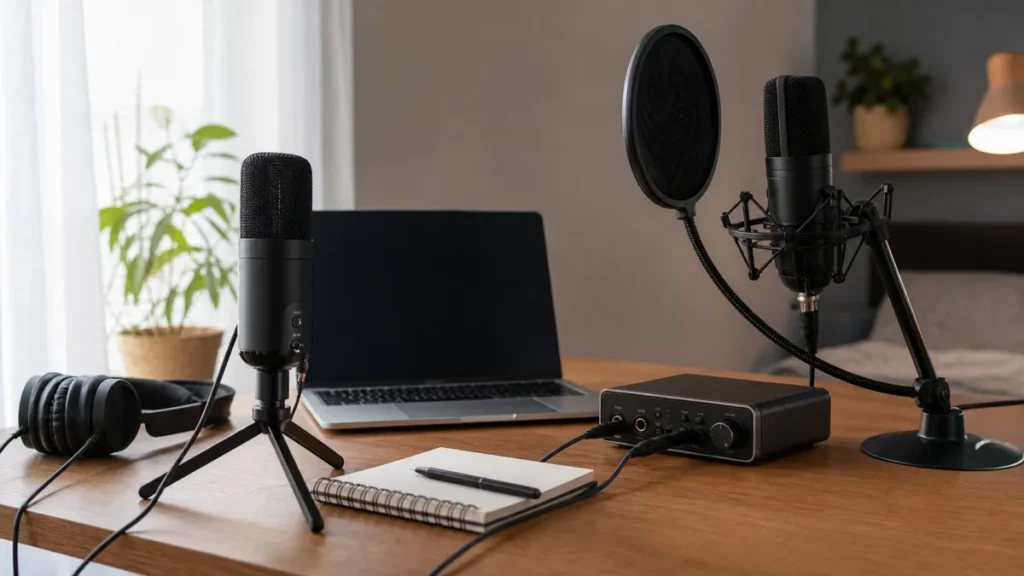
For beginners recording vocals, USB mic monitoring is usually the simplest path when the mic has a headphone jack. Interface monitoring is more flexible because it can work with XLR mics, instruments and future upgrades. Software monitoring through a DAW can be useful for hearing effects, but it can add distracting delay if the buffer, computer or setup is not ready.
MusicalCritic may earn a commission from qualifying links. This page uses editorial setup analysis and source-bounded beginner guidance, not lab testing, retailer-feed monitoring or paid placement.
Quick Verdict
- Choose USB mic monitoring if you want the fewest boxes, already own a USB mic with a headphone output and mainly record one vocal source.
- Choose interface direct monitoring if you want an XLR mic, cleaner upgrade path, input gain control and easier headphone routing.
- Use software monitoring carefully when you need DAW effects while singing, because buffer delay can make timing feel wrong.
What Monitoring Means
Monitoring is how you hear yourself while recording. The important beginner question is not only which microphone sounds better. It is whether the sound in your headphones arrives quickly enough and clearly enough for you to sing in time.
USB Mic Monitoring
Some USB microphones include a headphone jack and a direct-monitor control. In that setup, your voice can be heard from the microphone before the computer adds delay. This is simple and compact, but it keeps the recording chain tied to that USB mic.
Interface Monitoring
An audio interface can monitor an XLR microphone directly at the interface. This is often more flexible for home vocal recording because the same interface can support different microphones, headphones and sometimes instruments. The tradeoff is that you must learn input gain, headphone level and routing.
Software Monitoring
Software monitoring sends the microphone signal through the DAW before you hear it. That can let you hear reverb, pitch correction or compression while tracking, but it depends on low buffer settings and stable computer performance.
Decision Table
| Beginner situation | Best first path | Why |
|---|---|---|
| One vocal, simple desk setup | USB mic monitoring | Fewest pieces to connect and learn. |
| XLR mic or future upgrades | Interface monitoring | Better path for changing mics and adding gear. |
| Need to hear DAW effects live | Software monitoring | Useful only if latency stays comfortable. |
| Delay makes singing difficult | Direct monitoring | Removes most computer round-trip delay from the headphone path. |
Beginner Setup Checklist
- Check whether the USB mic or interface has a headphone output.
- Find the direct-monitor or mix control before recording a full take.
- Set input gain with the loudest vocal line, not a quiet test phrase.
- Keep headphone volume comfortable; do not fix recording level by turning headphones up.
- If using software monitoring, test buffer size before the real take.
Read Next
- Do USB Microphones Need an Audio Interface?
- What Is Zero-Latency Monitoring for Vocal Recording?
- Entry Audio Interface vs USB Mic for Singer-Songwriters
- How to Use Direct Monitoring When Recording Vocals
- Home Vocal Recording for Beginners
FAQ
Is USB mic monitoring always worse?
No. It can be the easiest beginner solution when the mic has a proper headphone output and direct monitoring.
Does an interface remove all latency?
No. Interface direct monitoring can avoid most computer monitoring delay, but software monitoring still depends on the DAW and buffer settings.
Should beginners monitor with speakers?
No for vocal tracking. Use closed-back headphones so the backing track does not bleed into the microphone.