
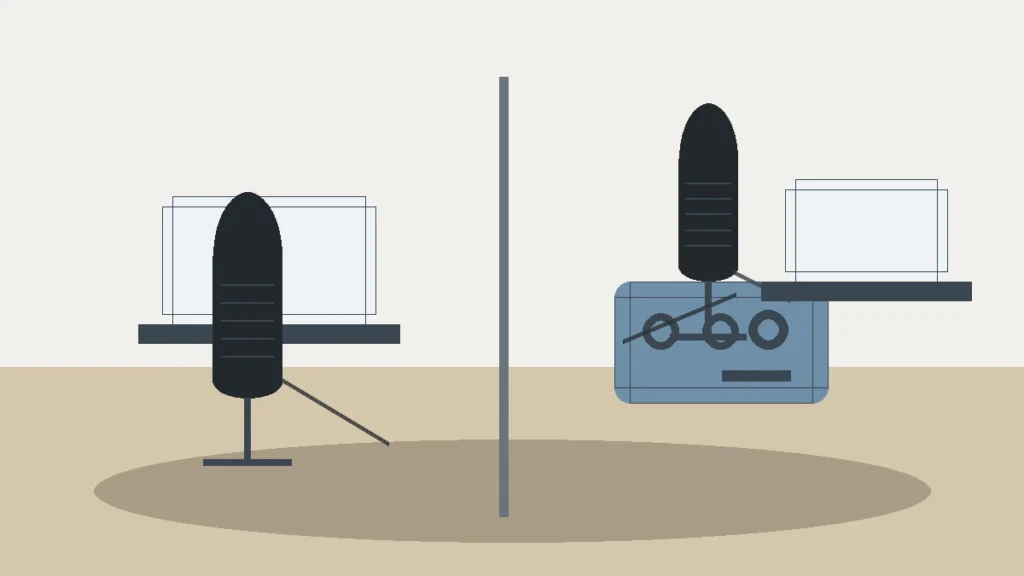
Decision Scorecard
| Decision Point | Best Fit | What To Check |
|---|---|---|
| Primary use case | Choose around the job you do most often. | Vocals, instruments, practice, monitoring, recording, or live use. |
| Setup complexity | Choose the simpler setup when performance is close. | Cables, software, stands, power, and compatibility. |
| Upgrade path | Choose the option that will stay useful longer. | Whether it still works when your setup grows. |
| Value | Choose the lower total cost, not only lower sticker price. | Accessories and replacement risk matter. |
Pros & Cons
Pros
- Frames the decision around use cases.
- Clarifies who should buy each option.
- Surfaces tradeoffs that spec tables often hide.
Cons
- There may not be one universal fit.
- A third alternative may be better if neither option matches your workflow.
Who It Is For
This comparison is for readers choosing between two close products and needing a clear decision path before buying.
Who Should Avoid It
Avoid forcing this decision if neither product matches your room, instrument, skill level, compatibility needs, or budget.
Alternatives
- Check a category buying guide for a broader shortlist.
- Read individual reviews if one option seems stronger.
- Look at accessories if setup cost is driving the decision.
Final Verdict
Pick the option that solves your main job with the least friction. If neither does, step back to the category guide before buying.
FAQ
How do I choose between two similar products?
Start with your main use case, then compare setup needs, reliability, and total cost.
Should I buy the more expensive option?
Only when the extra cost solves a real problem you will notice in use.
Beginner Vocal Recording Comparison
Answer first: A USB microphone is the simpler first path for one-person vocal recording. An audio-interface setup is the better path if you want to use XLR microphones, record instruments, control monitoring separately, or grow beyond a single microphone later.
MusicalCritic may earn a commission from qualifying links. This page is based on editorial research and manufacturer education, not field testing or live pricing.
What You Are Really Choosing
The decision is not only “USB versus XLR.” You are choosing between a self-contained microphone path and a modular recording chain. A USB microphone places the mic, conversion and computer connection inside one device. An interface setup separates the microphone, XLR cable, preamp, conversion and monitoring controls.
| Need | USB microphone | Audio interface setup |
|---|---|---|
| Setup speed | Usually fastest for one voice. | Requires interface, cable and gain setup. |
| Upgrade path | Limited if the mic is USB-only. | Stronger because mic and interface can change separately. |
| Monitoring | Depends on whether the USB mic has headphone monitoring and mix control. | Usually handled by interface headphone/direct monitoring workflow. |
| Vocal plus guitar | Possible only with workarounds or separate devices. | Better when the interface has enough simultaneous inputs. |
| Room limitations | Still needs good placement and a quiet enough space. | Still needs good placement and a quiet enough space. |
Choose a USB Microphone If
- You are recording one voice at a desk or small vocal spot.
- You want the fewest cables and the lowest setup learning curve.
- You do not need to record a separate guitar, second singer or second microphone at the same time.
- You are willing to accept a more limited upgrade path.
Choose an Audio Interface If
- You want to use XLR microphones.
- You expect to record vocal plus guitar, podcast guests or more sources later.
- You want separate gain, headphone and direct-monitoring controls.
- You would rather build a modular home-studio chain from the start.
Beginner Mistakes to Avoid
Do not buy an XLR microphone without budgeting for an interface and XLR cable. Do not buy a USB mic only because it is easy if you already know you need multiple inputs. Do not assume either path fixes room echo, clipping or poor microphone distance.
Read Next
- Home Vocal Recording for Beginners
- USB Microphones vs XLR Microphones
- Do You Need an Audio Interface for an XLR Microphone?
- Best Audio Interfaces for Beginners
FAQ
Do beginners need an audio interface for vocals?
No, not if they use a USB microphone and only need a simple one-person recording path. They do need an interface for most XLR microphone-to-computer setups.
Is a USB mic worse than an XLR mic?
Not automatically. Room, placement, gain and the specific microphone matter more than the connector label alone.
When should you upgrade from USB to an interface?
Upgrade when you need multiple sources, a different microphone choice, separate monitoring controls or a more modular recording chain.