
Beginner Interface Setup
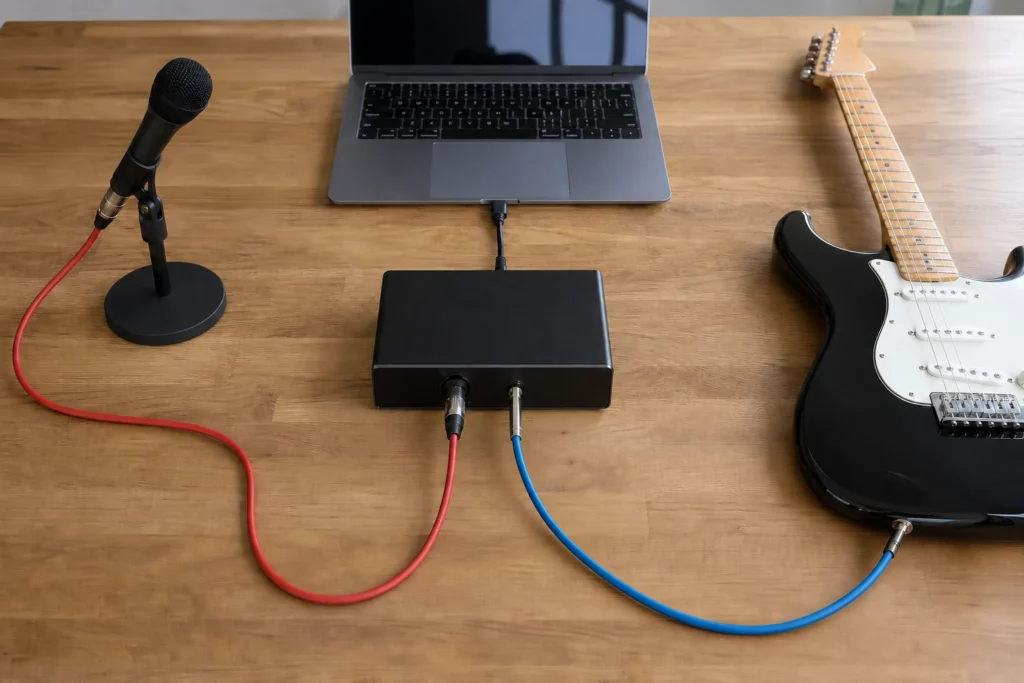
Answer first: To set up a two-input interface for vocals and guitar, plug the vocal microphone into one input, the guitar or guitar source into the second input, set each gain separately from the loudest part, monitor on headphones, and record a short dry test before adding effects.
MusicalCritic may earn a commission from qualifying links. This guide uses source-bound setup logic and editorial buyer analysis. It does not claim lab testing, retailer availability tracking or a universal best choice for every room.
This is a general workflow. Interface-specific buttons, software mixers and driver menus vary by model.
Step 1: Decide What Each Input Records
Use one input for the vocal microphone. Use the second input for guitar, a guitar amp line output, a DI path or another source only if that source is safe and supported by your interface. Do not plug speaker-level outputs into beginner interfaces.
Step 2: Set the Vocal Chain First
Place the mic, add pop control if needed, and set the singer at a repeatable distance. Sing the loudest phrase and lower gain if the input clips.
Step 3: Set the Guitar Input Separately
Play the loudest expected guitar part and set its gain without changing the vocal input. If the guitar is too loud in the room, move the microphone or record sources separately.
Step 4: Monitor Before Recording
Use closed-back headphones and check whether you hear both sources clearly. If direct monitoring and software monitoring are both on, the sound may feel doubled or confusing.
Step 5: Record One Dry Test
Record ten to twenty seconds without effects. Listen for clipping, room echo, fan noise, headphone bleed, timing confusion and whether the vocal and guitar need separate takes.
Read Next
- Home Vocal Recording for Beginners
- Two-Input Interface vs One-Input Interface for Singer-Songwriters
- Best Two-Input Audio Interfaces for Vocal and Guitar Demos
FAQ
Can I record vocals and guitar at the same time?
Yes, if the interface has enough inputs and the room/source setup is controlled. Separate takes may still be cleaner for beginners.
Should I record effects while tracking?
Beginners should usually capture a clean dry take first so setup problems are easier to hear.
Do I need a mixer too?
Usually not for a simple two-source computer recording workflow. A two-input interface can be enough when routing needs are basic.