
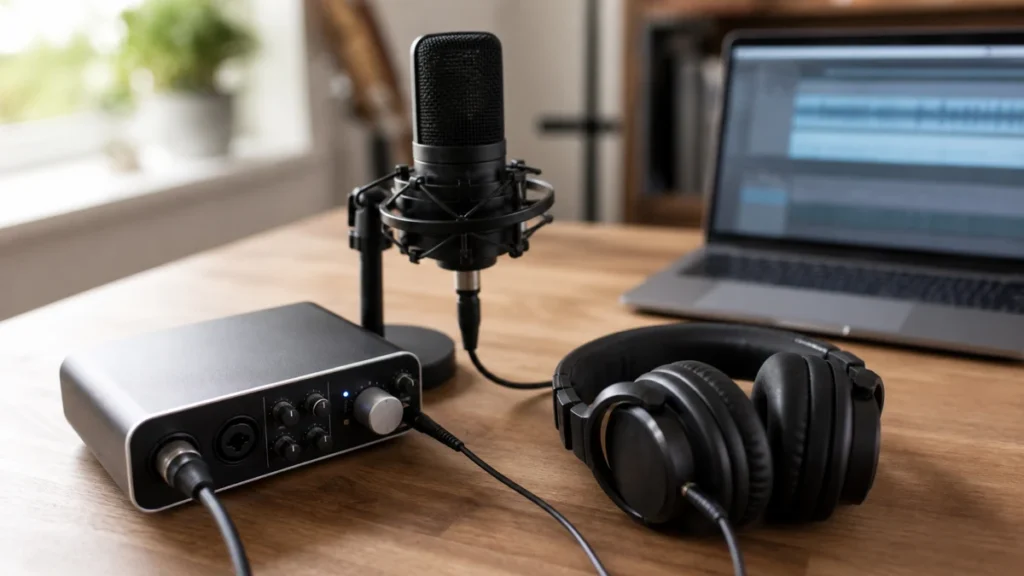
Zero latency monitoring usually means listening to your microphone signal directly through an audio interface before it makes a round trip through recording software. It helps singers hear themselves without a distracting delay, but it does not solve every timing or headphone mix problem.
MusicalCritic may earn a commission from qualifying links. This page uses source-bounded editorial guidance; it does not track real-time offers, availability or seller review scores.
Direct Answer
Zero latency monitoring is a direct monitoring path that lets you hear your vocal input with little or no noticeable delay. Many audio interfaces provide a direct monitor switch, knob or blend control so the singer can hear the microphone signal before software effects and plugin processing add delay.
Why Delay Happens
When you sing into a microphone, the signal may travel through an interface, into recording software, through effects or virtual instruments, then back to your headphones. That round trip can take enough time to feel distracting. The delay may sound like a short echo or make the singer feel behind the beat.
How Direct Monitoring Helps
Direct monitoring sends the microphone signal to the headphones before the full software round trip. On a simple interface, this may be a button. On other interfaces, it may be a knob that blends the direct mic signal with the playback from the computer. For beginner vocal recording, this can make takes feel much more natural.
What It Does Not Fix
Direct monitoring does not improve a noisy room, a weak performance, clipping, headphone bleed or an unbalanced backing track. It also may not include software reverb, pitch correction or other effects unless the system has separate low-delay processing. If you need to hear effects while recording, you may still need to manage buffer size and plugin choices.
Beginner Setup Checklist
- Turn on the interface direct monitor control if available.
- Lower the software buffer if monitoring through software.
- Disable heavy plugins while recording the vocal take.
- Keep the headphone mix loud enough to sing with, but not so loud it leaks.
- Record a short timing check before a full performance.
When USB Microphones Are Different
Some USB microphones include a headphone jack and direct monitoring control. Others rely more on the computer and recording software. If delay is a major concern, check whether the USB microphone has a headphone output and whether it can blend mic sound with computer playback.
Read Next
The home vocal recording hub explains the full beginner signal path. For a practical control walkthrough, read how to use direct monitoring when recording vocals. If you are hearing a delay, read why is there delay when recording vocals at home?
FAQ
Is zero latency always truly zero?
In beginner language, it means the delay is not noticeable enough to distract the singer. The exact technical path still depends on the interface and monitoring setup.
Should beginners always use it?
Use it when software monitoring feels delayed. If your current setup feels natural and the recorded timing is good, you may not need to change anything.